
Available events
Sending events
Open and click tracking events require tracking to be enabled on your sending domain.
Receiving events
For details on receiving event payloads and integration, see receiving events.
Create a webhook from the dashboard
1
Go to webhooks
In the dashboard, go to Webhooks.
2
Open the creation form
Click Create Webhook.
3
Fill in the form
Configure your webhook: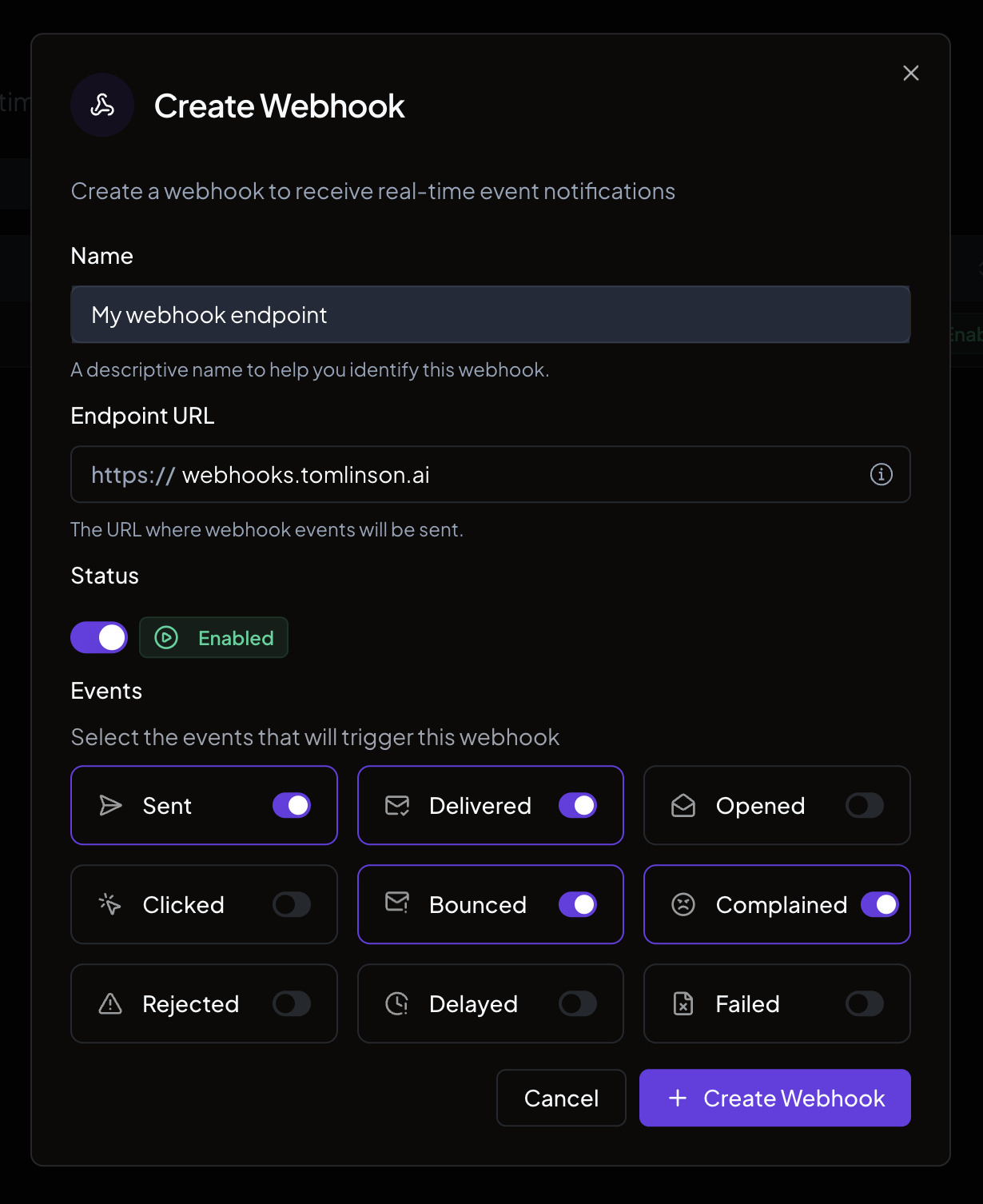
- Name. A descriptive label (for example, “Production listener”).
- Endpoint URL. The HTTPS URL where Nuntly will send events. This URL must be owned and controlled by you.
- Status. Set to Enabled or Disabled. Nuntly can also disable a webhook automatically; see automatic disabling.
- Events. Select at least one event type to listen for.
4
Create the webhook
Click Create Webhook.
Save your signing secret
After the webhook is created, the signing secret is displayed. Copy it immediately. It is shown only once.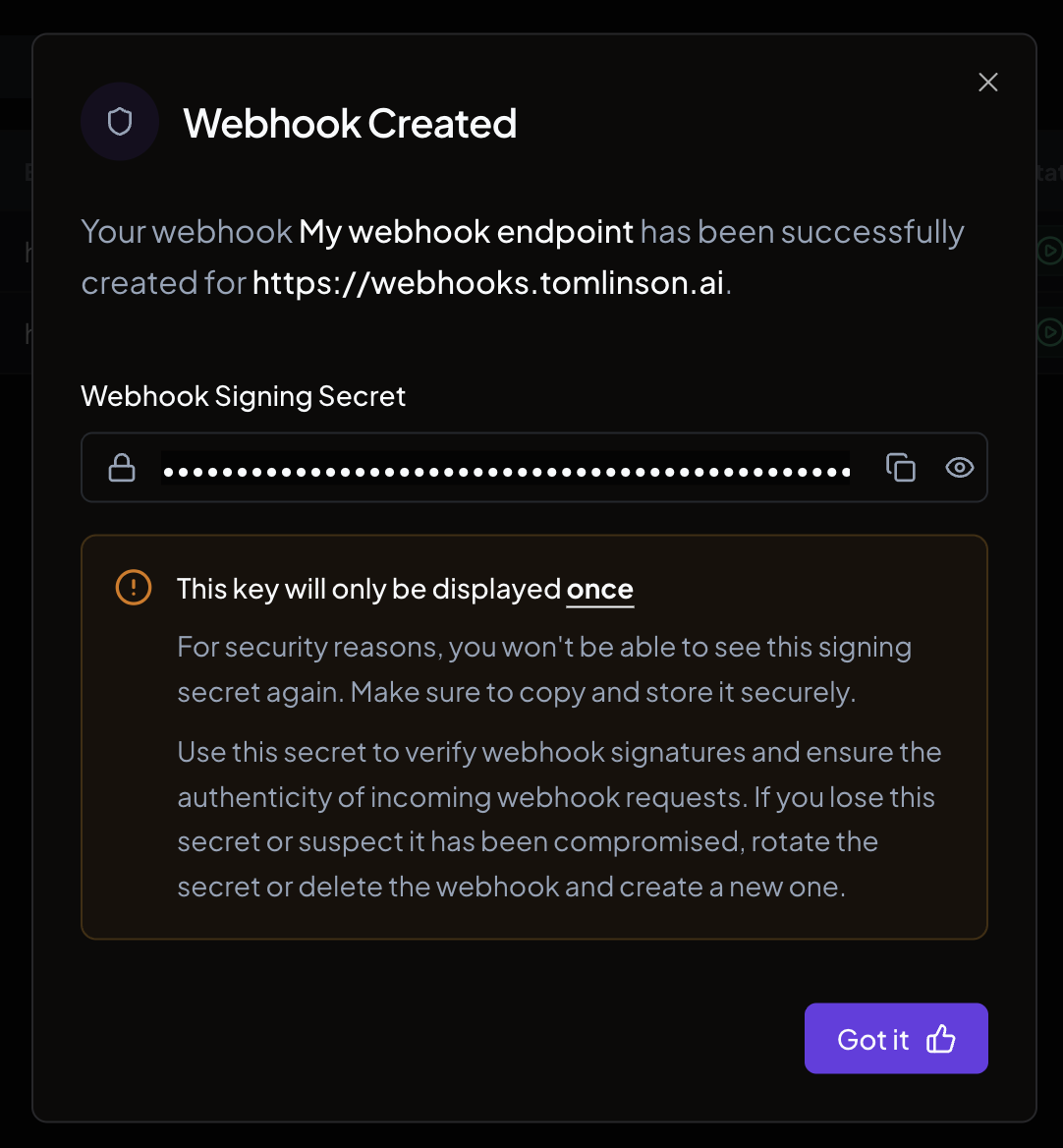
Create a webhook with the SDK
You can also create webhooks programmatically:Manage webhooks
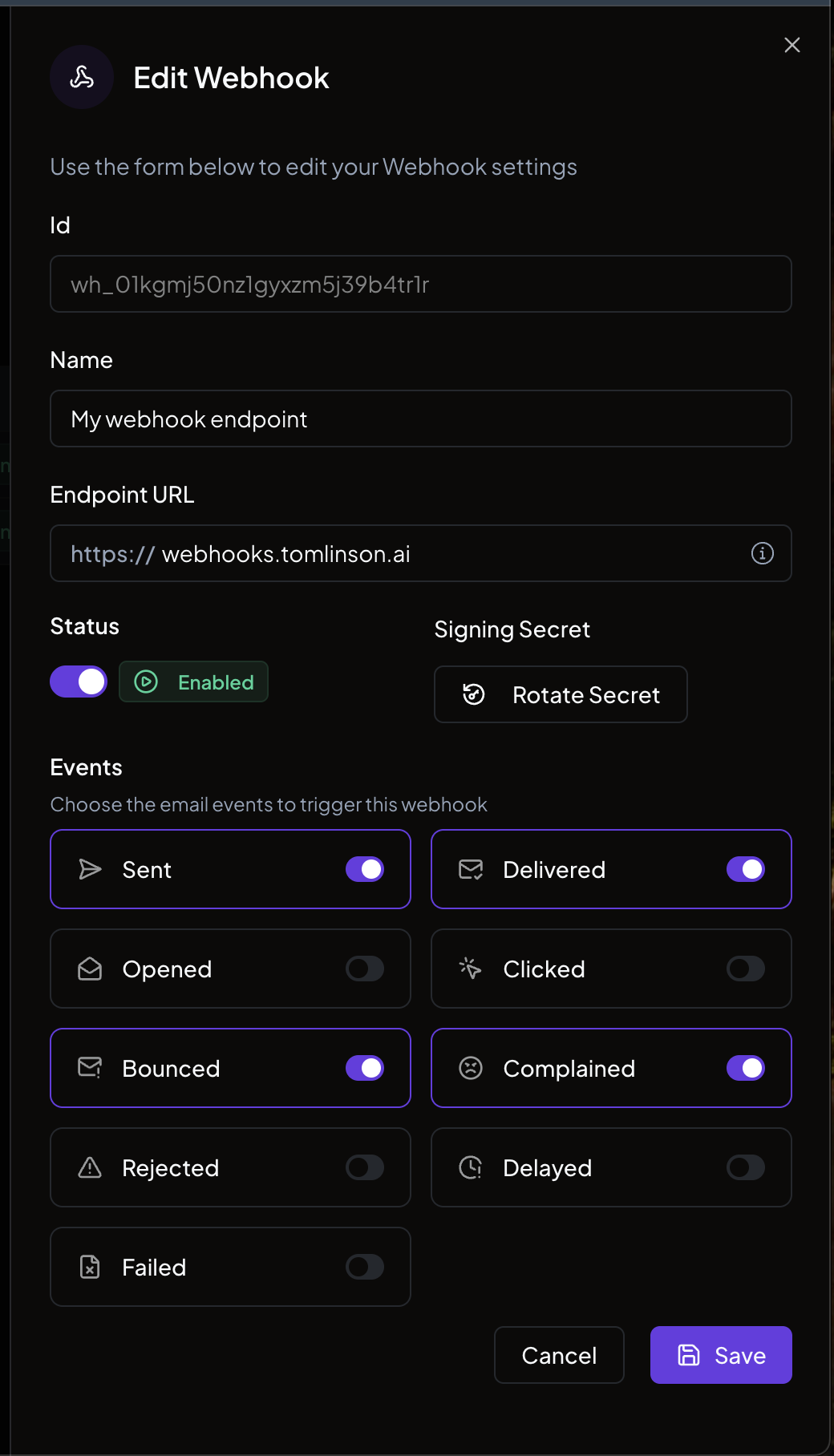
From the webhooks list in the dashboard, you can:- Edit. Update the name, endpoint URL, events, or status.
- Rotate secret. Generate a new signing secret (remember to update your application with the new value).
- Delete. Remove the webhook entirely.
Automatic disabling
A webhook can be disabled two ways:- Manually. An org owner disables it from the dashboard, as described above.
- Automatically. If Nuntly cannot deliver events to your endpoint after repeated consecutive attempts, it disables the webhook to avoid continuing to send events to a broken endpoint. The org owner receives an email explaining that the webhook was disabled due to delivery failures.