We built an AI copilot that turns email platform onboarding from 30 minutes to 2
Nuntly Copilot reduces email platform onboarding from 30 minutes to 2 through conversational AI that configures domains, API keys, and Webhooks.
Most developers hate onboarding. You know the drill: navigate through multiple dashboard screens, copy-paste DNS records, wait for verification, hunt for API key creation, configure webhook endpoints. Thirty minutes later, you're finally ready to send your first test email.
We built Nuntly Copilot to fix that.
The problem: email platform onboarding wastes developer time
When we talked to developers who recently set up email platforms, the same complaints surfaced:
"I spent 20 minutes just figuring out where to create an API key."
Marcus, Senior Backend Engineer
"The domain setup process required me to copy and paste information into 10+ different fields just to add all the DNS records."
Priya, Platform Lead
"I had to Google how to configure webhooks because the UI buried the option."
Alex, Full Stack Developer
The pattern was clear. Developers don't want to learn your dashboard. They want to ship code. Every minute spent navigating UI is a minute not spent building their product.
Setup in 2 minutes instead of 30
Try Nuntly Copilot and configure domains, API keys, and webhooks through natural conversation.
Why traditional setup flows slow developers down
Traditional dashboards optimize for visual organization and feature discovery. That works well for browsing, but it creates friction for setup tasks where you know exactly what you need.
When you need to create an API key, you don't want to:
- Find the right section in the navigation
- Read through a settings page
- Click "Create"
- Fill out a form
- Copy the result
You want to say "create an API key for production" and have it done.
That's the insight behind Nuntly Copilot.
What Nuntly Copilot actually does
Nuntly Copilot is a chat interface in your dashboard that understands what you're trying to accomplish and does it for you.
It handles three core onboarding tasks:
1. Sending domain configuration
Instead of navigating through domain settings, copying DNS records manually, and waiting for verification, you can ask:
Add mail.example.com as sending domain
The Nuntly Copilot:
- Creates the domain in your account
- Generates DKIM, SPF, and DMARC records
- Provides copy-paste DNS instructions or view them directly in the dashboard
Learn more about domain authentication in our documentation.
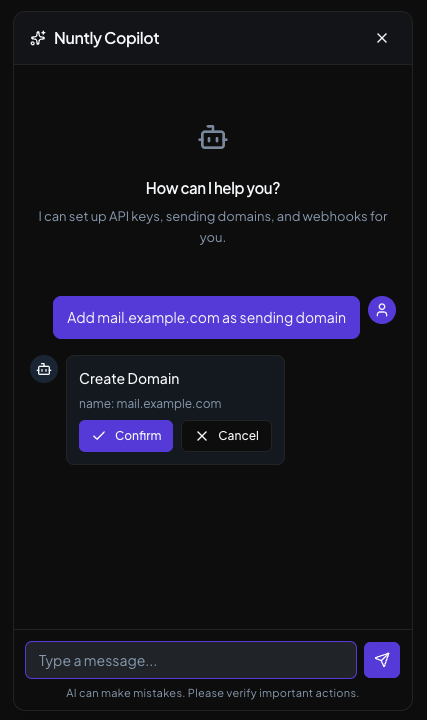
Domain configuration done in one command
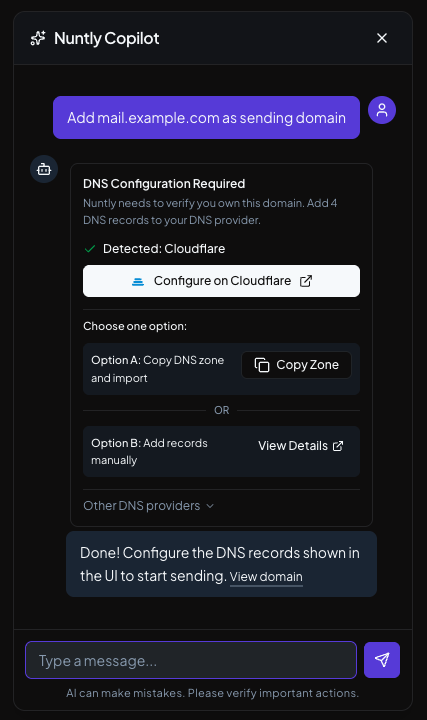
Domain records ready to be copied to your DNS provider
2. API key generation
Creating API keys through the UI requires clicking through settings, naming the key, setting permissions, and storing it securely. With the copilot:
Create production API key
You get an API key instantly, with clear instructions to save it securely. Read our API authentication guide for integration details.
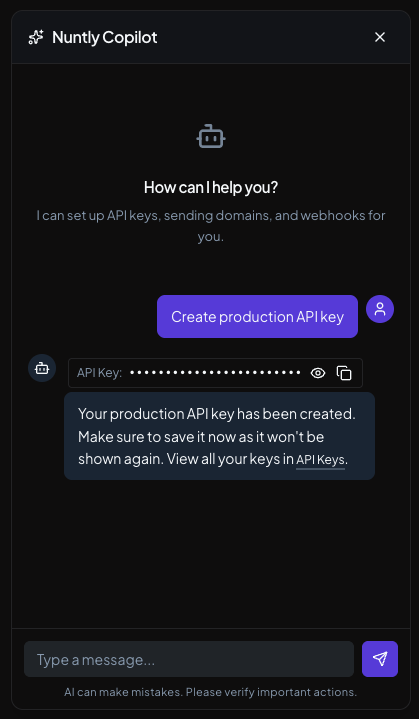
Ask the copilot to create an API key
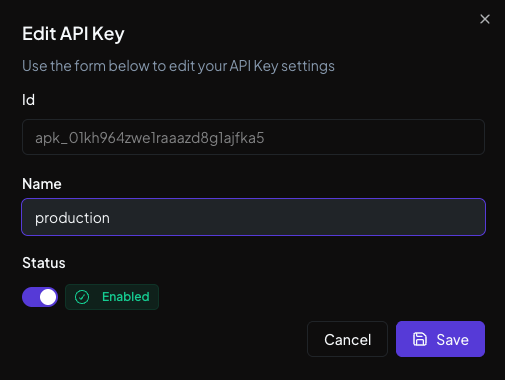
API key generated and ready to use
3. Webhook setup
Webhook configuration usually involves finding the webhooks page, adding an endpoint URL, selecting event types, and testing the connection. The copilot streamlines this:
Set up webhooks for delivery and bounce events to "https://api.myapp.com/webhooks"
The copilot configures the endpoint and validates the endpoint before confirming. See our webhooks documentation for event types and payload formats.
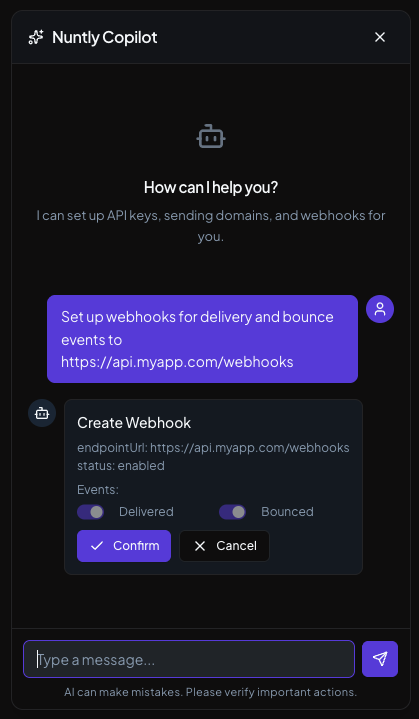
Webhook configuration with automatic validation in one command
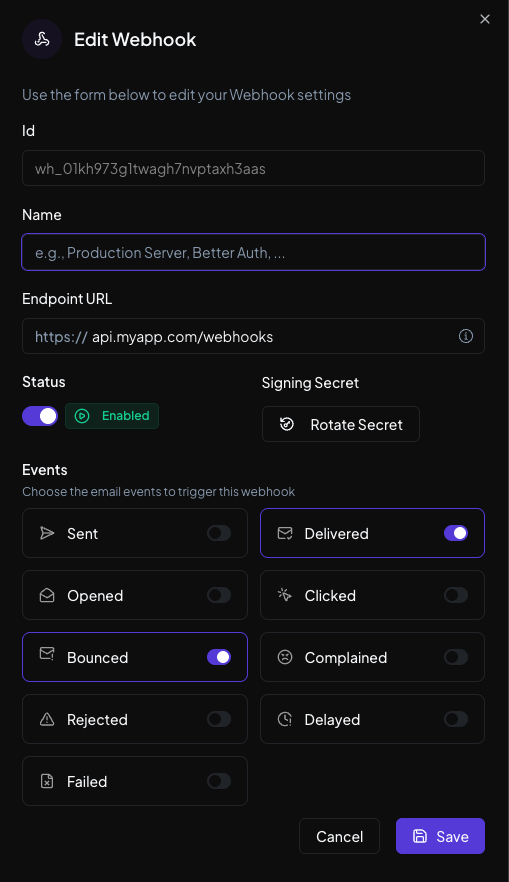
Webhook configured and ready to use
How it actually works under the hood
Nuntly Copilot isn't just a chatbot with canned responses. It understands context, validates inputs, and configures your account.
When you send a message, the copilot:
- Parses your intent using natural language understanding
- Validates the parameters you provided
- Executes the necessary actions to configure your account
- Provides real-time feedback on progress
- Confirms when the task is complete
If something goes wrong, the copilot will guide you through the next steps or let you know what needs attention.
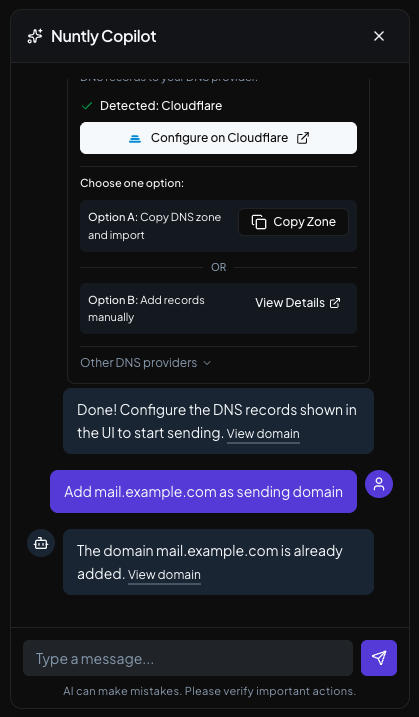
Clear error messages with actionable next steps
Why conversation beats clicking
The shift from UI navigation to conversation changes how fast you can get from signup to sending your first email.
Complete onboarding with traditional dashboard:
- Navigate and learn the interface (3 minutes)
- Set up sending domain (10 minutes) with each copy-pasting DNS records to your DNS provider
- Wait for DNS propagation, check status multiple times (10-15 minutes)
- Find and generate API keys (3 minutes)
- Configure webhook endpoints (3 minutes)
Total: 30+ minutes, and that's assuming you don't get stuck or need to check documentation.
Complete onboarding with Nuntly Copilot:
- Ask copilot to set up domain (15 seconds)
- Copy DNS zone records to your DNS provider (15 seconds)
- Ask copilot to create API key (15 seconds)
- Ask copilot to configure webhooks (15 seconds)
- Wait for DNS propagation and sending enabled (1 minute)
Total: Under 2 minutes. The copilot guides you through each step, explains what's happening, and handles the configuration automatically.
The time savings aren't just about speed. It's about removing the cognitive load of learning a new interface when you just want to send emails.
Real developer feedback
We tested Nuntly Copilot with 50 developers during beta. The most common reaction: "This is how it should have always worked."
Specific feedback:
"I set up my production environment while on a call." A backend developer told us he configured his production domain and API keys during a planning meeting. He just chatted about what he needed and the copilot handled it.
"I didn't need to read the documentation." Documentation is necessary, but if your setup process requires reading docs, your UX failed. The copilot made setup self-explanatory.
"Everyone uses AI chat, but why isn't it in more applications?" Developers pointed out that while conversational AI has become ubiquitous with tools like ChatGPT, it's still rare to find it integrated into software for onboarding. This should be more widespread.
When to use the copilot vs the dashboard
The copilot excels at setup and configuration tasks where you know what you want. Use it when you need to:
- Add domains quickly
- Generate API keys
- Configure webhook endpoints
The traditional dashboard still works better for:
- Browsing analytics and logs
- Exploring email event timelines
- Managing team members
- Reviewing account usage
If you prefer a more visual onboarding experience, we also provide a Getting Started guide that walks you through setup step-by-step.
Try Nuntly Copilot now
Ready to set up your email platform in 2 minutes instead of 30?
Nuntly Copilot is included free on all plans, including our free tier.
Existing users: Open your dashboard and click the Copilot icon to get started.
New to Nuntly? Sign up for free (no credit card required) and the copilot will guide you through your first domain setup.
Ship emails, not infrastructure
Free plan available. No credit card required.
Start sending freeCheck out our complete getting started guide to learn more about the platform.
Frequently asked questions
Is Nuntly Copilot available on all plans?
Yes, the copilot is included free on all plans, including our free tier. Every user has access to it in their dashboard.
Can I still use the traditional dashboard?
Absolutely. The copilot and dashboard work together. Use the copilot for quick setup tasks and the dashboard for browsing analytics, managing teams, and reviewing usage.
What if I prefer step-by-step visual guides?
We also provide a Getting Started guide that walks you through setup with screenshots and detailed instructions.
Does the copilot support all configuration tasks?
Currently, the copilot handles domain setup, API key generation, and webhook configuration. We're continuously expanding its capabilities based on user feedback.
What languages does the copilot support?
Currently English, with more languages coming soon.
Help us improve the copilot
We're continuously improving Nuntly Copilot based on how developers actually use it during onboarding. If you have ideas for making the setup experience even better, we'd love to hear from you.
Send your feedback to support@nuntly.com or join the conversation in our Discord community.
The bigger picture: developer tools should feel like this
Nuntly Copilot is part of a larger philosophy: developer tools should adapt to developers, not the other way around.
Traditional SaaS products force you to learn their interface. They make you click through flows designed by product managers who have never deployed code at 2am.
Developer-first products should adapt to how you already work. If you prefer typing commands over clicking buttons, that should be an option. If you want to configure everything through API calls, that should be trivial.
Nuntly Copilot is our first step toward that vision. The goal is to make email platform setup feel invisible, so you can focus on what actually matters: building your product.
Ready to experience onboarding that adapts to you? Start with Nuntly Copilot today.
Ship emails, not infrastructure
Free plan available. No credit card required.
Start sending free