
Webhook event log
The list shows every delivery attempt over the last 48 hours, including failed and pending ones. This is a display window, not a retention limit: deliveries are retained for 30 days. Each row exposes: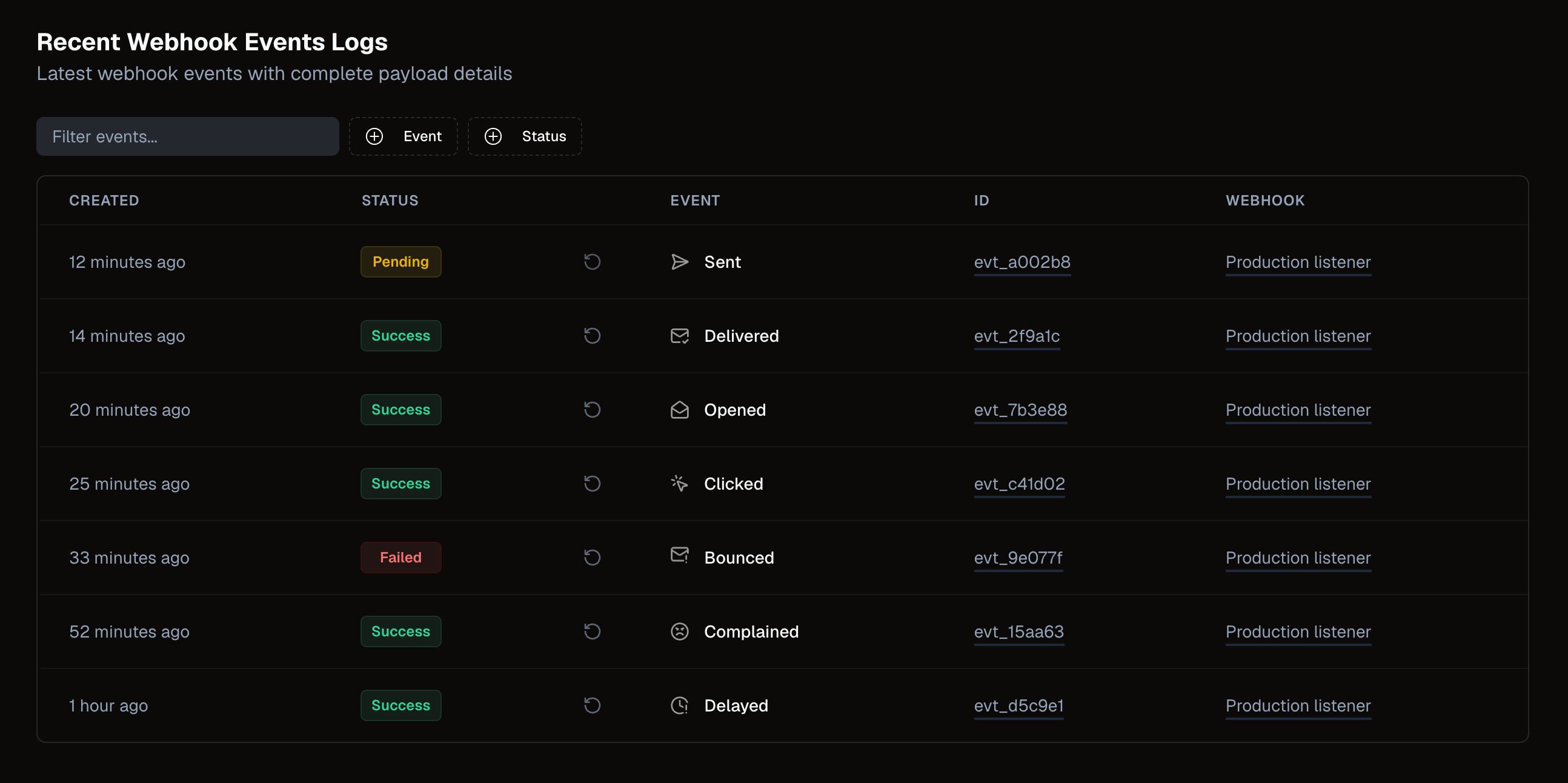
Troubleshooting failed deliveries
If events are failing:- Verify your endpoint is publicly reachable and returns a
2xxstatus code. - Check that signature verification in your handler is not rejecting valid requests.
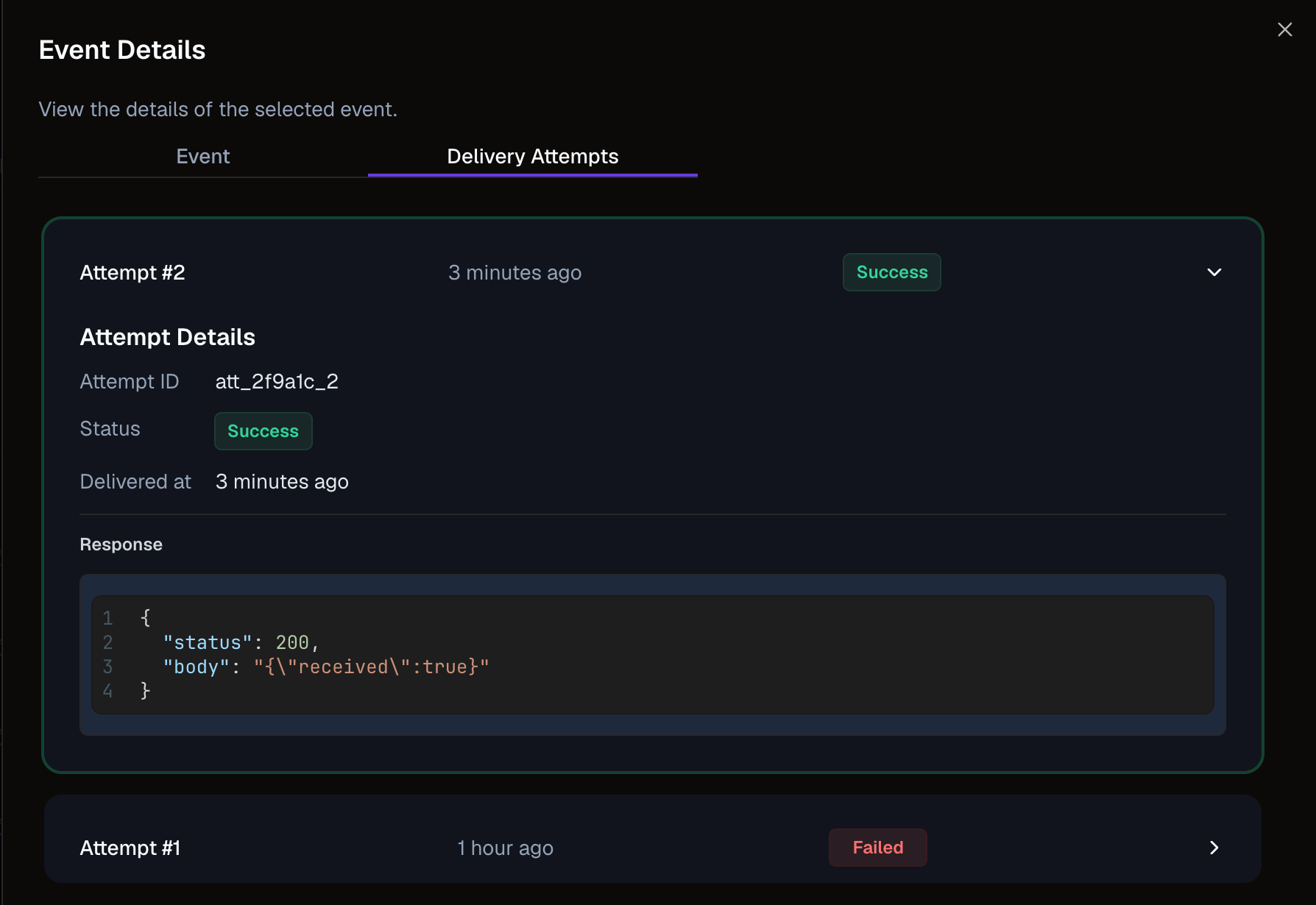
- Review the response body in the expanded row — it may contain error details from your server.
Nuntly retries failed webhook deliveries with exponential backoff. You can also view delivery attempts for a specific event by expanding the row.
Learn more
Observability overview
All observability views at a glance
Handle webhook events
Implement signature verification and event handling